afe7b05830
Reflect the new config directory locations (~/.config/termscp on macOS,
%USERPROFILE%\.termscp on Windows) across the English and Chinese docs,
and add a CLAUDE.md note to keep both translations in sync.
1.5 KiB
Bookmarks and recent hosts
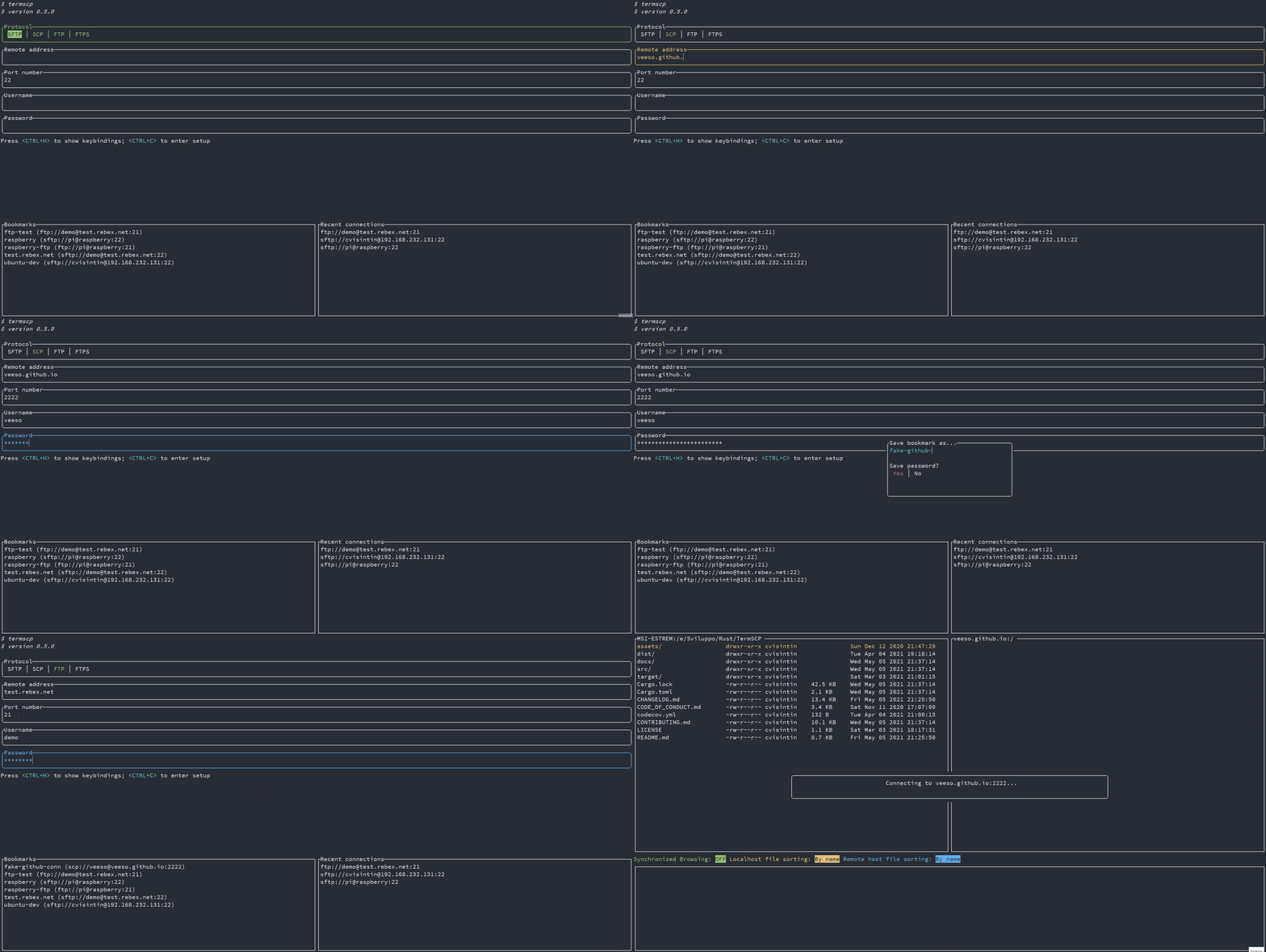
termscp lets you save your favourite hosts as bookmarks, which can then be loaded quickly from the main layout. termscp also keeps the last 16 hosts you connected to. Both features let you reload all the parameters required to connect to a remote simply by selecting an entry in the tab under the authentication form.
Where bookmarks are stored
Bookmarks are saved, when possible, in the configuration directory:
$HOME/.config/termscp/on Linux/BSD$HOME/.config/termscp/on macOS%USERPROFILE%\.termscp\on Windows
Saving passwords
For bookmarks only, you can optionally save the password used to authenticate. This does not apply to recent hosts, which never save passwords. The password is not saved by default; you are prompted to choose whether to save it when you create a new bookmark.
If you are concerned about the security of the passwords saved for your bookmarks, see Are my passwords safe?
Creating a bookmark
- Fill in the authentication form with the parameters to connect to your remote server.
- Press
<CTRL+S>. - Type the name you want to give to the bookmark.
- Choose whether to remember the password.
- Press
<ENTER>to submit.
Loading a bookmark
To use a previously saved connection, press <TAB> to navigate to the bookmarks list, then press <ENTER> to load the bookmark parameters into the form.