
![]() > Mue
[](/LICENSE) [](https://discord.gg/zv8C9F8) []()
> Mue
[](/LICENSE) [](https://discord.gg/zv8C9F8) []()
[](https://microsoftedge.microsoft.com/addons/detail/aepnglgjfokepefimhbnibfjekidhmja) [](https://addons.mozilla.org/firefox/addon/mue) [](https://chrome.google.com/webstore/detail/mue/bngmbednanpcfochchhgbkookpiaiaid)
Mue is a fast, open and free-to-use browser extension that gives a new, fresh and customizable tab page to most modern browsers
## Table of contents
* [Screenshot](#screenshot)
* [Features](#features)
* [Planned Features](#planned-features)
* [Installation](#installation)
* [Chrome](#chrome)
* [Firefox](#firefox)
* [Edge Chromium](#edge-chromium)
* [Naver](#naver)
* [Other](#other)
* [Contributing](#development)
* [Requirements](#requirements)
* [Starting](#starting)
* [Building](#building)
* [Credits](#credits)
* [Developers](#developers)
* [Translators](#translators)
* [Contributors](#contributors)
* [Resources](#resources)
## Screenshots
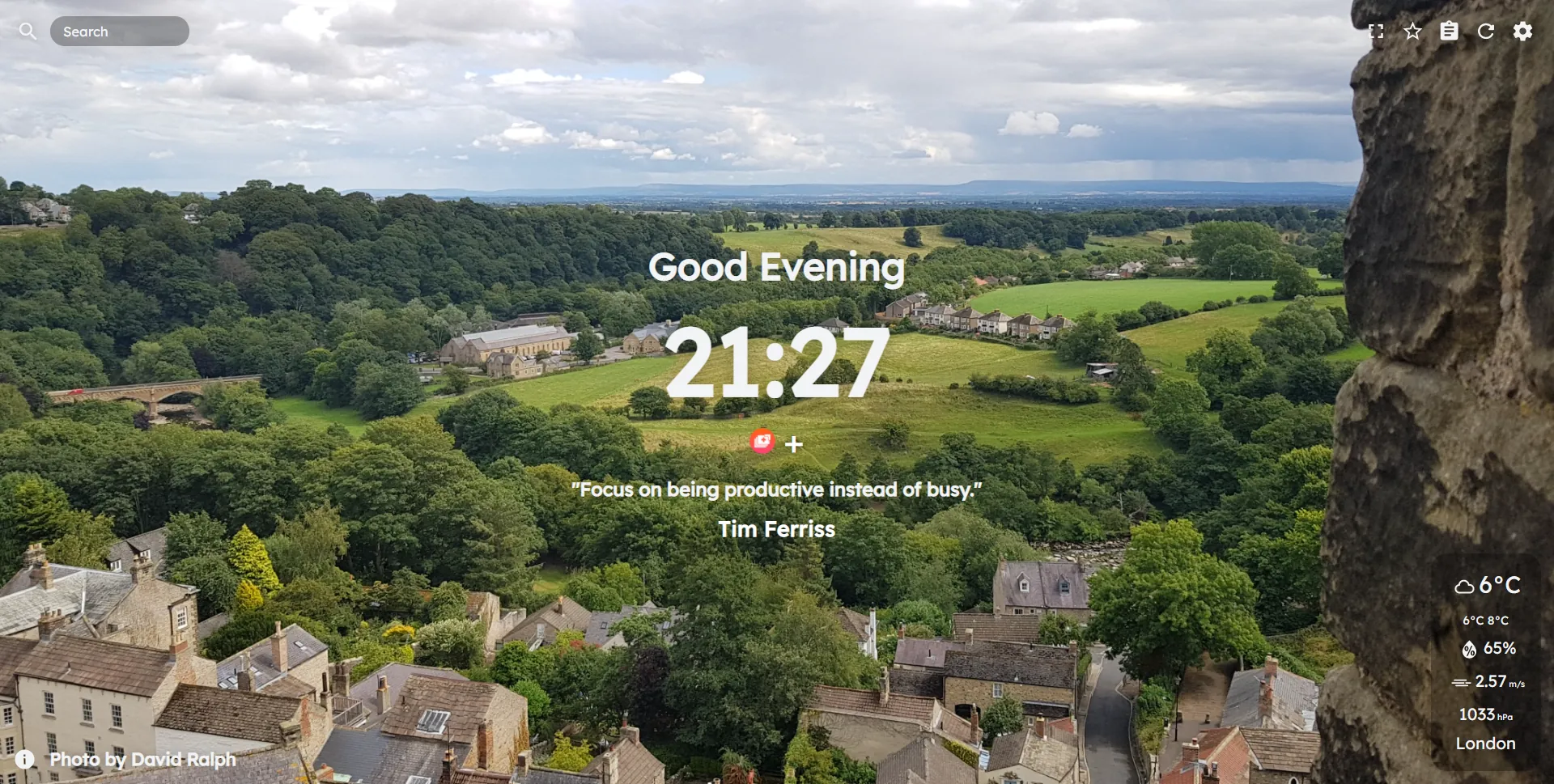
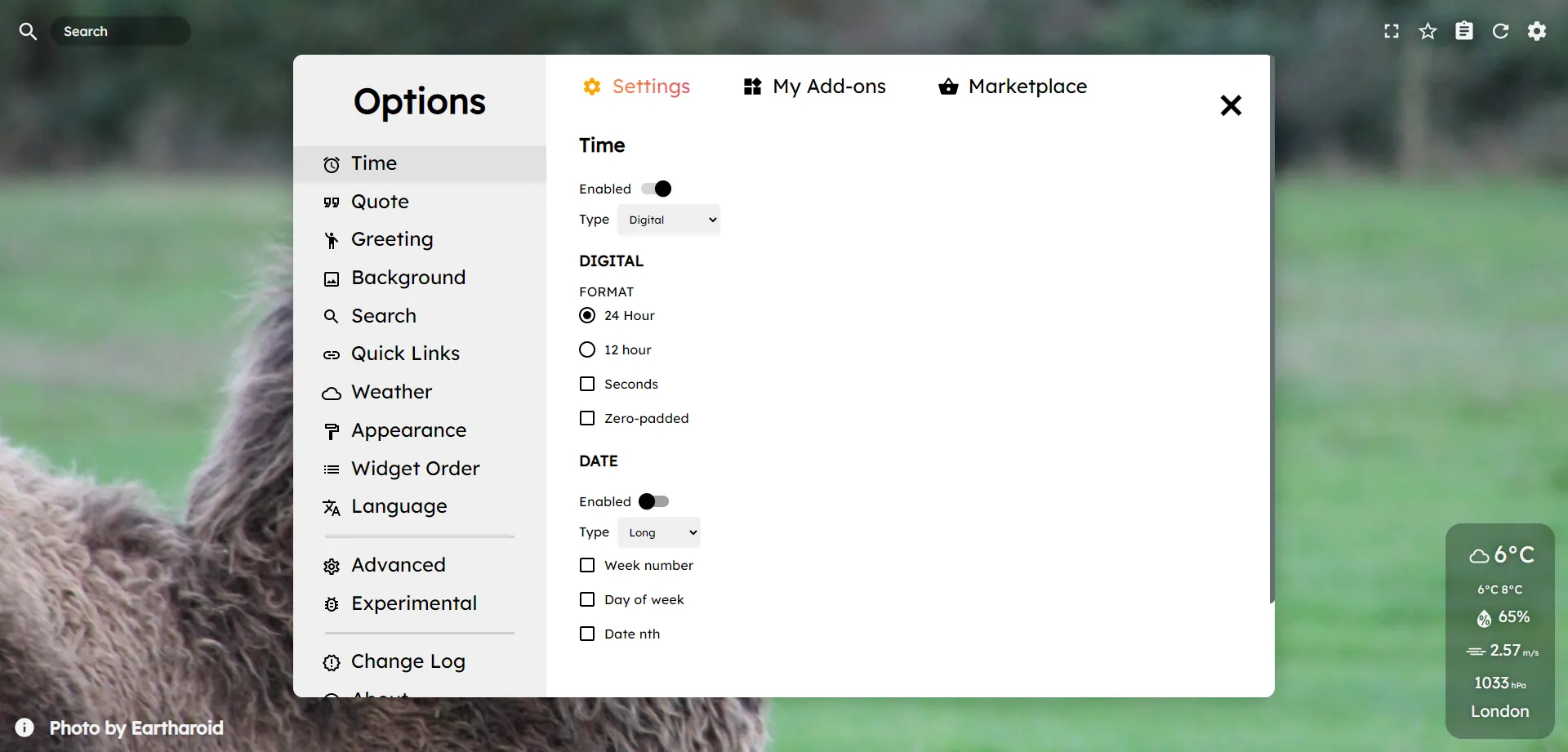
## Features
* Fast and free
* Supports multiple browsers
* Actively developed and open source
* Automatically updating API (no tracking) with new photos, quotes and offline mode
* Widgets such as searchbar, weather, quick links, clock, date, quote, greeting
* Settings - enable/disable various features and customise parts of Mue
* Navbar with copy button, favourite background, notes feature etc
* Marketplace - download custom photo packs made by the community
### Planned Features
Please see our [roadmap](https://github.com/mue/mue/projects)
## Installation
*A demo of the tab can be found [here](https://demo.muetab.com)*
### Chrome
[](https://chrome.google.com/webstore/detail/mue/bngmbednanpcfochchhgbkookpiaiaid)
[Chrome Web Store](https://chrome.google.com/webstore/detail/mue/bngmbednanpcfochchhgbkookpiaiaid)
### Firefox
[](https://addons.mozilla.org/firefox/addon/mue)
[Firefox Add-ons](https://addons.mozilla.org/firefox/addon/mue)
### Edge (Chromium)
~~[Microsoft Edge Addons](https://microsoftedge.microsoft.com/addons/detail/aepnglgjfokepefimhbnibfjekidhmja)~~ Currently outdated, please use the Chrome Web Store version
### Naver
[Whale Store](https://store.whale.naver.com/detail/ecllekeilcmicbfkkiknfdddbogibbnc)
### Other
Please note that we have dropped support for Opera as of Mue 5.0
[GitHub Releases](https://github.com/mue/mue/releases)
## Development
### Requirements
* [Git](https://git-scm.com/)
* [Node.JS](https://nodejs.org/)
* A suitable browser
### Starting
1. Clone the repository using `git clone https://github.com/mue/mue.git`
2. Run `yarn` or `npm i` to install all needed dependencies
3. Run `yarn start` or `npm start` to start testing
4. Code your heart out! (See the sections below for how to build the extension)
### Building
Chrome/Edge (Chromium) (Click to expand)
-
yarn run build or npm run build
-
yarn run chrome or npm run chrome
- Visit
chrome://extensions in Chrome
- Click Load unpacked (Make sure Developer Mode is on)
- Go to the directory containing the built copy of Mue and click ok
- Enjoy your new tab!
Firefox (Click to expand)
-
yarn run build or npm run build
-
yarn run firefox or npm run firefox
- Visit
about:debugging#addons in Firefox
- Click Load Temporary Add-on
- Go to the directory containing Mue and click on the manifest.json
- Enjoy your new tab!
Other (Click to expand)
Note: To get the full new tab experience, set your browser to open the index.html on startup and tab open!
-
yarn run build or npm run build
- Open the
index.html in your browser
- Enjoy your new tab!
## Credits
### Developers
[David Ralph](https://github.com/davidjcralph) - Lead development, photographer
[Alex Sparkes](https://github.com/alexsparkes) - Name, lead design, photographer
[Isaac Saunders](https://github.com/eartharoid) - QA, development, photographer
[Wessel Tip](https://github.com/Wessel) - Development
### Translators
[Wessel Tip](https://github.com/Wessel), [Heimen Stoffels](https://github.com/Vistaus) - Dutch
[Alex Sparkes](https://github.com/alexsparkes), [Maxime](https://github.com/exiam) - French
[Anders](https://github.com/FuryingFox) - Norwegian
[Pronin Egor](https://github.com/MrZillaGold) - Russian
[Vicente](https://github.com/Vicente015) - Spanish
[Austin Huang](https://github.com/austinhuang0131) - Chinese (Simplified)
[FreeFun](https://github.com/xXFreeFunXx) - German
### Contributors
Many thanks to [Highholding](https://discord.bio/p/highholding), [Noa Shapira](#), [Roee Lupo](https://github.com/RoeeLupo), [Jeroen](#), [Gio](#), [Anders](https://github.com/FuryingFox), [Oded Shapira](https://twitter.com/dondishdev), Jacob Tyrrell and [Nikka Lai](#) for letting us use their wonderful photographs.
And finally, a big thank you to all the other [contributors](https://github.com/mue/mue/graphs/contributors)!
### Resources
[Pexels](https://pexels.com), [Unsplash](https://unsplash.com) - Stock photos used for offline mode